PC Engine SuperGrafx

Overview
The PC Engine SuperGrafx dominates the PC Engine line with dual HuC6270 chips, extra sprites, and rare HuCard exclusives. REG-Linux keeps this hardware under the supergrafx metadata set so the corresponding artwork appears distinctly from standard PC Engine entries.
Technical specifications
- CPU: Hudson HuC6280 8-bit microprocessor clocked at 7.16 MHz with integrated mapper and DMA.
- Memory: 8 KB work RAM plus 64 KB VRAM split between dual HuC6270 video controllers.
- Display: Dual HuC6270 VDCs offering 32,768 colors, 256 sprites, and resolutions up to 512×242.
- Sound: HuC6230 PSG with six channels plus PCM support.
Quick reference
- ROM folder:
/userdata/roms/supergrafx - Accepted formats:
.pce,.sgx,.cue,.ccd,.chd,.zip,.7z - Emulator:
libretro: mednafen_supergrafx - System group:
supergrafx,pcengine
BIOS
SuperGrafx retains the same Super CD-ROM² BIOS set as the PC Engine CD system. Copy bios/syscard3.pce (plus syscard2.pce, syscard1.pce, gexpress.pce if needed) into /userdata/bios/.
| MD5 checksum | Filename | Description |
|---|---|---|
38179df8f4ac870017db21ebcbf53114 |
bios/syscard3.pce |
Super CD-ROM² BIOS |
ROMs
Store HuCard images (.pce, .sgx) and CD-based releases (.chd, .cue) under /userdata/roms/supergrafx. Keep the .cue beside the .bin when not using CHD so the emulator can read track data. Compressing images into .zip/.7z is acceptable if the archive only contains the ROM/CD files.
Emulator settings
RetroArch hosts libretro: mednafen_supergrafx. The core uses supergrafx.* options such as videomode, ratio, shaders, and backend selectors (supergrafx.gfxbackend, supergrafx.audio_latency, supergrafx.video_threaded). Fast GUI tweaks accessible via [HOTKEY] + south face button help preserve per-game overrides.
Additional toggles:
global.sgx_nospritelimit: remove the hardware sprite cap when extra artistry causes flickers.
Controls
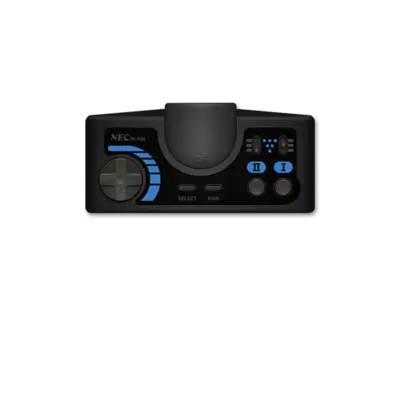
Use the PC Engine overlay at ../images/controller-overlays/pcengine-1.png. It covers the six-button pad plus optional peripherals.
Troubleshooting
- Confirm the BIOS files exist before launching a CD-based title.
- Switch from
.cueto.chdif a disc fails to load. - Turn off
global.sgx_nospritelimitif graphically intensive scenes glitch.
See the generic support pages for more help.