Supervision

Overview
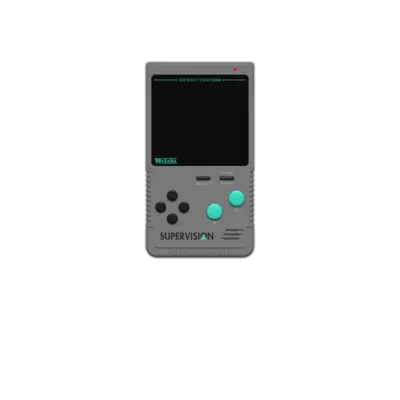
Watara’s Supervision (1992) is a portable 8-bit rival to the Game Boy. REG-Linux groups the console under supervision so the right theme art shows alongside the system.
Technical specifications
- CPU: 65SC02-compatible 8-bit processor running at 4 MHz.
- Memory: 32 KB system RAM backed by 8 KB video memory and cartridge ROM banks.
- Display: 160×160 pixel LCD with four shades of gray and hardware sprite blitting.
- Sound: Mono speaker or headphone jack driven by a single square-wave channel.
Quick reference
- ROM folder:
/userdata/roms/supervision - Accepted formats:
.sv,.zip,.7z - Emulator:
libretro: potator - System group:
supervision
ROMs
Place every Supervision cartridge dump into /userdata/roms/supervision. Use .sv files whenever possible, since the emulator recognizes the platform-specific format directly.
Emulators
RetroArch / potator
libretro: potator is the recommended core. Open the Quick Menu ([HOTKEY] + south face button) to tweak shaders, ratios, or controller mapping. Use the EmulationStation options for supervision.videomode, supervision.smooth, supervision.shaders, supervision.pixel_perfect, supervision.decoration, supervision.gfxbackend, supervision.audio_latency, and supervision.video_threaded.
Controls
The Supervision uses a D-pad plus two buttons and a Start key. Map those inputs via /remapping_controls_per_emulator when the defaults don’t match your pad layout.
Troubleshooting
- Make sure every ROM uses the
.svextension; zipped ROMs should only contain the needed file. - Switch between OpenGL and Vulkan (via
supervision.gfxbackend) if you see rendering issues. - Consult the generic support pages for additional help.