Switch

Overview
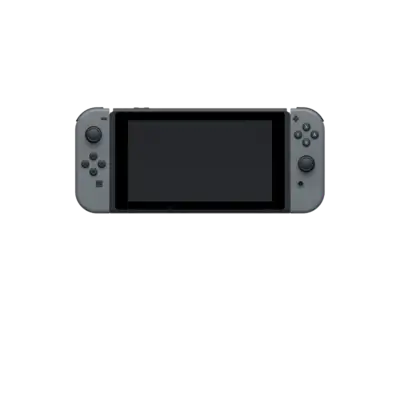
Nintendo’s Switch (2017) is a hybrid handheld/console with a Tegra X1 chip, requiring a different emulation strategy than the rest of the RETRO-Linux library. REG-Linux exposes the switch platform to launch high-end Switch-specific emulators while the system list remains organized by genre.
Technical specifications
- Manufacturer: Nintendo
- Release year: 2017
- Hardware type: console
- Platform tag: switch
Quick reference
- ROM folder:
/userdata/roms/switch - Accepted formats:
.xci,.nsp,.nca,.nro - Emulators:
ryujinx,yuzu,eden - System group:
switch,windows
Requirements
- 64-bit x86 CPU with SIMD/AVX2 instructions
- Vulkan 1.3+ GPU drivers
- Official Nintendo prod keys (
prod.keys,title.keys) placed inside/userdata/bios/switch/ /userdatastored on a Linux-native filesystem (ext4/btrfs preferred) for keys/cache writes
ROMs & install
Switch games install via the emulator interface. Each emulator expects either (.xci, .nsp) containers or directory-based installations generated by the emulator:
- Place your
.xci/.nspfiles into/userdata/roms/switch. - Launch the emulator from EmulationStation; it usually prompts for an installation folder (e.g.,
/userdata/system/configs/eden/nandoryuzupaths). - For
eden, rename the folder to include the Title ID and.nspdescriptor so the frontend discovers it. - Keep DLC/add-ons in
/userdata/roms/switch/DLCas required by the emulator.
Large downloads and shader caches live inside /userdata/system/configs/<emu>/cache/.
Emulators
yuzu
yuzu is the early-access community release focusing on compatibility. It uses the same keys as the console and requires a Xamarin driver (Vulkan recommended). Configure graphics backend, frame limiters, controls and controller overlays via the GUI. Capture shader caches under /userdata/system/configs/yuzu/shaders.
ryujinx
Ryujinx is a C# emulator that supports Linux. It also needs the official prod keys in the user/prod.keys file. Use ryujinx for triple-A titles that work better on its codebase and toggle resolution scaling, anisotropic filtering, and docked/handheld modes from the in-app settings.
eden
eden is a minimal launcher aimed at handheld devices (RK chips). It expects .xci/.nsp plus a prod.keys. Keep the eden config under /userdata/system/configs/eden/ and use the built-in updater for firmware.
Controls
Switch controllers map to the DualShock-style overlay shown inside the repository; the Joy-Con layout includes gyro, triggers, and the Home button. Use the emulator’s controller profile editors or the global remapping tool if you prefer custom bindings.
Troubleshooting
- Ensure
prod.keys/title.keysexist and are readable; without them Switch emulators refuse to boot games. - Use Vulkan for better performance; fallback to OpenGL only if Vulkan drivers are unavailable.
- Keep shader caches/wine states inside
/userdata/system/configs/<emu>/to avoid recompile delays. - Check the emulator’s compatibility lists (yuzu/ryujinx/eden) before running heavy titles.
- Consult the generic support pages for broader GPU or Linux issues.