Sega System SP
Overview
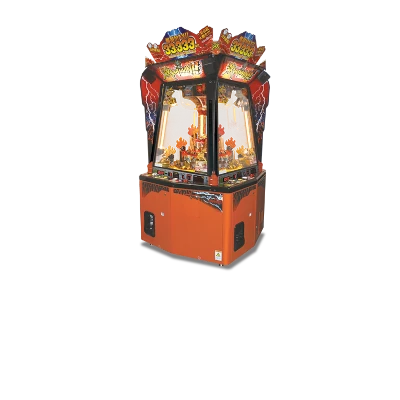
The Sega System SP is Sega’s 2004 arcade board derived from NAOMI 2 hardware, using the same PowerVR2/GPU and AICA audio pipeline. REG-Linux treats it as systemsp so arcade themes can display the correct art while the ROMs load via Flycast or libretro ports.
Technical specifications
- CPU: Hitachi SH-4 32-bit RISC processor at 200 MHz (NAOMI2-derived architecture).
- Memory: 64 MB of RDRAM plus 16 MB texture/graphics buffers and 8 MB sound RAM.
- Display: PowerVR2 GPU supporting 640×480+ textured polygons, perspective correction, and per-pixel effects.
- Sound: Yamaha AICA DSP with 64 ADPCM channels plus hardware mixer, identical to the Dreamcast/Naomi audio stack.
Quick reference
- ROM folder:
/userdata/roms/systemsp - Accepted formats:
.lst,.bin,.dat,.zip,.7z - Emulators: Flycast (standalone),
libretro: flycast - System group:
systemsp,arcade
Technical specifications
- CPU: Hitachi SH-4 at 200 MHz (Dreamcast/NAOMI 2 class).
- Memory: 64 MB RDRAM, 16 MB VRAM/texture buffers, 8 MB sound RAM.
- Display: PowerVR2 GPU doing textured polygons at 640×480+.
- Sound: Yamaha AICA DSP with 64 ADPCM channels (shared with Dreamcast).
ROMs
Store each System SP game as a .zip or .7z archive inside /userdata/roms/systemsp. The archive should include the .lst/.bin files that Flycast/RetroArch consume. Keep the naming consistent with the arcade ID so the emulator loads all required content automatically.
Emulators
Flycast
Flycast is the recommended emulator for System SP. It exposes options for render resolution, anisotropic filtering, widescreen hacks, and controller mapping via the Quick Menu ([HOTKEY] + south button). The ROM loader understands .lst lists inside the archive, so drop the .zip containing Game.lst and Game.bin in /userdata/roms/systemsp.
RetroArch / libretro: flycast
RetroArch works with the libretro: flycast core and shares the same Quick Menu controls. Use the advanced options to tune the systemsp settings (render scale, filters, etc.) and make sure [SELECT] → Advanced System Options points to the right BIOS/files.
Controls
System SP titles use gun/mouse inputs for select cabinets. Follow the general arcade overlay inside the repo or remap via /remapping_controls_per_emulator when playing with a gamepad.
Troubleshooting
- If the archive fails to load, verify the
.lstscript lists the correct.binfile names. - When Flycast reports missing files, unzip the
.zipmanually to confirm all data is present. - Consult the generic support pages for additional emulator/driver issues.