TI-99/4A

Overview
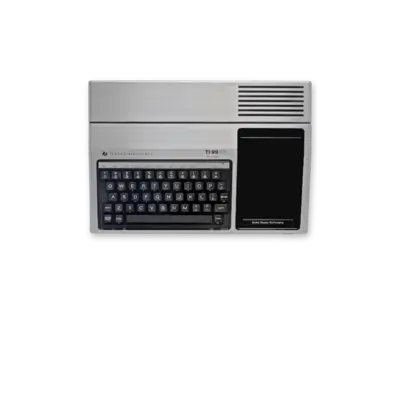
Texas Instruments’ TI-99/4A (1979) is a 16-bit home computer remembered for its educational software and unique hardware. REG-Linux groups the ROMs under ti99 and boots them through MAME’s ti99_4a driver.
Technical specifications
- CPU: Texas Instruments TMS9900 16-bit processor clocked at 3.0 MHz.
- Memory: 256 bytes of scratchpad RAM with additional 64 KB of shared RAM and cartridge expansion slots.
- Display: Texas Instruments TMS9918A video chip delivering 256×192 resolution with 16 colors and hardware sprites.
- Sound: TMS9919 PSG offering three square-wave channels and programmable noise.
Quick reference
- ROM folder:
/userdata/roms/ti99 - Accepted formats:
.rpk,.wav,.zip,.7z - Emulators: MAME /
libretro: mame - System group:
ti99,arcade
BIOS
Copy the official BIOS archive (ti99_4a.zip/.7z) into /userdata/bios/. MAME expects the bundle to contain the ROM images for the console’s VDP and console OS.
ROMs
Store each cartridge (.rpk) or cassette (.wav) under /userdata/roms/ti99. Zip or 7z containers that wrap the ROM are supported—just make sure they do not add extra directory levels. MAME also reads software list entries when selecting ti99.
Emulator options
Use the MAME UI ([HOTKEY] + south face button or [Tab]) to access ti99.video, ti99.bgfxbackend, ti99.bgfxshaders, ti99.switchres, ti99.rotation, and ti99.altromtype. These options let you pair the correct media type (cassette vs cartridge), renderer, and shader configuration.
Controls
TI-99 titles rely on the keyboard and a handful of buttons. Refer to ../images/controller-overlays/ti99.png or save a custom remap when joystick input is required.
Troubleshooting
- Verify the BIOS bundle sits inside
/userdata/bios/with the expected checksum before launching a game. - Switch
ti99.altromtypewhen a cassette refuses to load (some titles appear on both tape and cartridge). - For general issues, consult the generic support pages.