Nintendo Wii

Overview
The Wii (2006) runs on hardware related to the GameCube. REG-Linux exposes it via the Dolphin emulator and shares the wii metadata group so game covers remain consistent with the official branding.
Technical specifications
- CPU: IBM “Broadway” PowerPC processor clocked at 729 MHz.
- Memory: 88 MB of unified memory (24 MB ‘main’ + 64 MB ‘external’) shared with the GPU.
- Display: ATI Hollywood GPU delivering 422 MHz pipelines capable of 480p output with anti-aliasing.
- Sound: Integrated Dolby Pro Logic II-equipped PCM audio with hardware mixing.
Quick reference
- ROM folder:
/userdata/roms/wii - Accepted formats:
.gcm,.iso,.gcz,.ciso,.wbfs,.wad,.rvz,.elf,.dol,.m3u,.json - Emulators: Dolphin standalone,
libretro: dolphin - System group:
wii,gamecube
ROMs
Copy Wii and GameCube images into /userdata/roms/wii. Rename .rvz files to .nkit.iso if necessary, and keep Riivolution JSON files alongside the ROMs when using patches or mods. Use .m3u playlists for multi-disc games.
Emulators
Dolphin standalone
Dolphin builds the NAND on first launch and stores shader caches under /userdata/system/configs/dolphin-emu/shaderCache/. Adjust render resolution, frame limiting, Ubershaders, and controller profiles through the Dolphin UI before launching games through EmulationStation.
libretro: dolphin
RetroArch hosts the libretro core and exposes the same Quick Menu options (dolphin.videomode, dolphin.ratio, dolphin.shaders). Use [HOTKEY] + south face button to tweak overrides, and configure Discord, Wiimote emulation (wii.emulatedwiimotes), and classic controllers through EmulationStation’s advanced settings.
Controls & peripherals
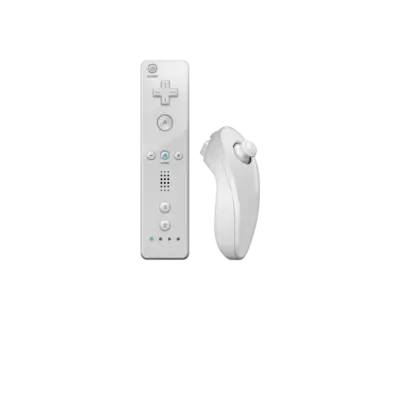
Dolphin maps Wii Remotes, Nunchuks, Classic Controllers, and GameCube pads. Pair real Wiimotes via Bluetooth or use the virtual remotes by renaming the ROM with axis suffixes such as .side while calling out tilt/infrared combos (.ti, .ni) to influence the dynamic axes.
Troubleshooting
- Rename
.rvzfiles to.nkit.isowhen Dolphin refuses to read them. - Run the ROM from the Dolphin system entry after the initial setup to ensure the NAND exists.
- For controller issues, remap inputs via the global controller configuration and ensure the remotes show as connected inside Dolphin/Steam Input.
- Look at the generic support pages for more emulator guidance.