Nintendo Wii U

Overview
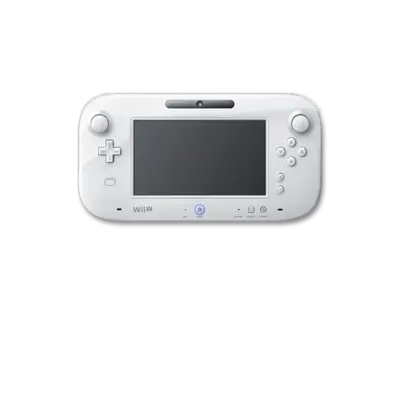
The Wii U (2012) introduced a tablet-like GamePad alongside HD graphics. REG-Linux uses Cemu for Wii U titles and sorts them under the wiiu metadata tag so your theme reflects the proper iconography.
Technical specifications
- CPU: Custom IBM “Espresso” tri-core CPU at 1.24 GHz with 1 MB L2 cache per core.
- Memory: 2 GB DDR3 system RAM plus 1 GB dedicated to GPU operations.
- Display: AMD Radeon-based “Latte” GPU supporting 1080p rendering and GamePad off-screen streaming.
- Sound: High-definition audio engine with 7.1-channel output and AAC/DTS passthrough.
Quick reference
- ROM folder:
/userdata/roms/wiiu - Accepted formats:
.wup,.wud,.wux,.wua,.rpx,.squashfs - Emulator: Cemu
- System group:
wiiu,windows
ROM handling
.wudis the raw dump requiring valid keys (prod.keys,title.keys)..wuxis a compressedwud; rename it to.wudif compatibility issues appear..wupinstallers should be used only when you know how to extract them..wuabundles base+update+DLC (Cemu 1.27+).- Loadiine folders with
/code/*.rpxfiles can live inside/userdata/roms/wiiu/and work as long as the structure matches.
Keys & updates
Place keys.txt (download from the Cemu wiki) inside /userdata/bios/cemu/. Use cemu-config from the Applications menu to install DLC/updates (File → Install game update/DLC) and create shader caches inside /userdata/system/configs/cemu/shaderCache/<titleid>/.
Emulator configuration
- Choose OpenGL or Vulkan as the graphics backend (Vulkan recommended).
- Use
cemu-config→ Edit graphic packs to download or enable texture packs and resolution hacks. - Set
wiiu.controller_combinationfor GamePad remapping or to emulate Wiimote + Nunchuk combos. - After customizing, run
REG-Linux-save-overlayto persist the settings.
Controls
The default overlay reflects the GamePad layout shown in the repository. Use [HOTKEY] + south to open Cemu’s Quick Menu to adjust input mapping between GamePad, Wiimote, and Classic Controller modes.
Troubleshooting
- Ensure
/userdata/bios/cemu/keys.txtexists, contains the correct key list, and uses Unix line endings. - If a title doesn’t launch, check the compatibility list on the Cemu Wiki and ensure shader cache files match the game ID.
- Kubernetes-style shader caches live in
/userdata/system/configs/cemu/graphicsPacks/<titleid>/. - Consult the generic support pages for additional assistance.