Sharp X1

Overview
The Sharp X1 (1982) is a Japanese home computer known for its graphics mapper and PSG sound. REG-Linux exposes the x1 metadata group through RetroArch so the platform stays aligned with our theme artwork and playlists.
Technical specifications
- CPU: Zilog Z80A clone clocked at 3.58 MHz with built-in memory mapper for graphics banks.
- Memory: 64 KB main RAM plus 16 KB video RAM dedicated to character/tile data.
- Display: Sharp-generated graphics capable of 256×192 resolution, 8 colors per pixel, and hardware sprites via the GAI-100 chip.
- Sound: General Instrument AY-3-8910 PSG providing three square-wave channels and a noise generator.
Quick reference
- ROM folder:
/userdata/roms/x1 - Accepted formats:
.dx1,.zip,.2d,.2hd,.tfd,.d88,.88d,.hdm,.xdf,.dup,.cmd,.7z - Emulators:
libretro: x1 - System group:
x1
BIOS
RetroArch looks under /userdata/bios/xmil/ for the X1 BIOS files. Add at least one of the official IPL ROMs so the core can initialize video and sound.
| MD5 checksum | Filename | Notes |
|---|---|---|
eeeea1cd29c6e0e8b094790ae969bfa7 |
iplrom.x1 |
Standard Japanese IPL |
56c28adcf1f3a2f87cf3d57c378013f5 |
iplrom.x1t |
Transliteration-friendly ROM |
ROMs
Store tape, disk, or cartridge dumps directly in /userdata/roms/x1. The core accepts a wide variety of file types from .d88 and .hdm floppy images to cartridge-like .dx1 files—zip and 7z archives are supported when the ROM sits at the archive root.
Emulators
libretro: x1
Use the RetroArch Quick Menu ([HOTKEY] +  ) to access global overrides such as
 x1.videomode, x1.shaders, and x1.input_player1. The core exposes a joystick type selector so you can mimic the X1 controller or hook up an arcade pad through the normal button remap screen.
Controls
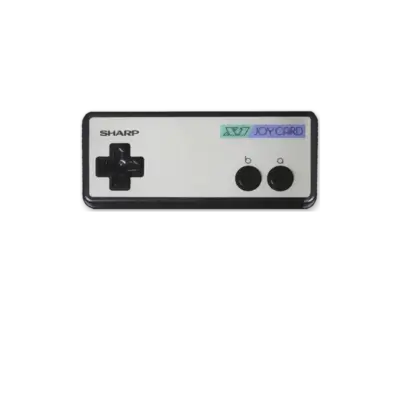
The default overlay mirrors the Japanese X1 keypad and the two-button joystick. Remap the fire button or assign keyboard shortcuts if you rely on the built-in text entry.
Troubleshooting
- Double-check the BIOS filename and md5 before copying it to
/userdata/bios/xmil/; RetroArch will refuse to boot without one of the known dumps. - If a zipped ROM refuses to launch, extract it and try again—the core currently expects the image at the archive root.
- Visit the generic support pages for RetroArch-wide tips when needed.