Sharp X68000

Overview
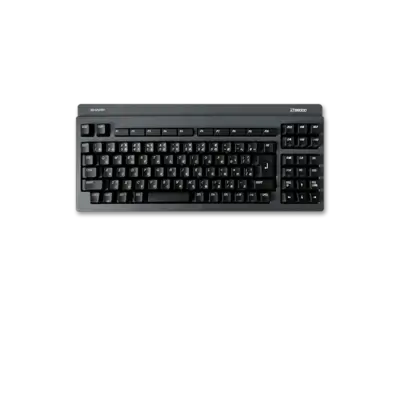
The Sharp X68000 (1987) brought arcade-quality graphics to the home with a Motorola 68000 CPU pair and a custom graphics pipeline. REG-Linux lists it under the x68000 group and boots games via the libretro: px68k core, which is tuned for the system’s packed sprite/line drawing logic.
Technical specifications
- CPU: Motorola 68000 running at 10 MHz (up to 12 MHz in later towers) with 16-bit bus bridging to the custom video chips.
- Memory: 1 MB or more RAM standard plus 512 KB VRAM and ROM for system BIOS and fonts.
- Display: Custom Sharp video pipeline offering 512×512 pixels, 65,536 colors on-screen, hardware sprites, and analog RGB output.
- Sound: Yamaha YM2151 FM synthesizer together with OKI M6295 ADPCM chip delivering multi-channel stereo audio.
Quick reference
- ROM folder:
/userdata/roms/x68000 - Accepted formats:
.dim,.img,.d88,.88d,.hdm,.dup,.2hd,.xdf,.hdf,.cmd,.m3u,.zip,.7z - Emulators:
libretro: px68k - System group:
x68000
BIOS
Drop both BIOS files into /userdata/bios/keropi/ so the px68k core can load the Japanese keyboard and sprite data.
| MD5 checksum | Filename | Purpose |
|---|---|---|
7fd4caabac1d9169e289f0f7bbf71d8e |
iplrom.dat |
IPL ROM |
cb0a5cfcf7247a7eab74bb2716260269 |
cgrom.dat |
Character generator |
ROMs
Copy DIM, D88, HDM, and HDF disk images into /userdata/roms/x68000. The core accepts compressed archives when the image sits at the archive root and honors .m3u playlists for multi-disk releases.
Emulators
libretro: px68k
RetroArch exposes the usual x68000.* settings plus a handful of px68k-specific options. Use the Quick Menu ([HOTKEY] +  ) to change the display mode, enable shaders, and tweak the CPU speed if a title becomes sluggish.
px68k tuning
| Setting | Description |
|---|---|
global.px68k_cpuspeed |
Raise the emulated clock between 10–200 MHz when running demanding shooters. |
global.px68k_ramsize |
Switch between 1–12 MB emulated RAM depending on the software you launch. |
global.px68k_frameskip |
Skip frames when you need speed; leave it off for precise sprite timing. |
global.px68k_joytype |
Pick the controller layout (2 buttons, Mega Drive, SNES, or custom pads). |
Consider enabling global.res_multi to improve vector artwork, and turn on x68000.video_threaded if shader-heavy filters introduce lag.
Controls
The default overlay mirrors the X68000 two-button layout with user-defined key mappings. Remap the pads via the Quick Menu if you prefer a Mega Drive-style grip or need keyboard-input hotkeys.
Troubleshooting
- Confirm both BIOS files exist in
/userdata/bios/keropi/—missing the CGROM will prevent any game from starting. - If a game shows graphical glitches, try toggling
px68k_frameskipand disable shaders temporarily. - For general input or RetroArch hints, consult the generic support pages.