Microsoft Xbox

Overview
Microsoft’s original Xbox (2001) combined PC-style hardware with a console front-end. REG-Linux keeps the xbox group distinct so that the xemu entry loads modern builds of the emulator alongside matching artwork.
Technical specifications
- CPU: Custom Intel Pentium III-derived 32-bit processor at 733 MHz with 3.2 MB of on-die cache.
- Memory: 64 MB of unified DDR SDRAM shared between the CPU and ATI NV2A graphics chip.
- Display: NVIDIA NV2A GPU running at 233 MHz capable of 480p/720p output with hardware transform-and-lighting and texture mapping.
- Sound: Realtek ALC650-based audio subsystem supporting Dolby Digital 5.1 pass-through and multi-channel PCM mixing.
Quick reference
- ROM folder:
/userdata/roms/xbox - Accepted formats:
.iso,.iso.squashfs - Emulators:
xemu - System group:
xbox
BIOS
Place both BIOS blobs under /userdata/bios/xemu/ so xemu can boot the kernel and the MCPX firmware.
| MD5 checksum | Filename | Purpose |
|---|---|---|
d49c52a4102f6df7bcf8d0617ac475ed |
mcpx_1.0.bin |
MCPX boot ROM image |
39cee882148a87f93cb440b99dde3ceb |
Complex_4627.bin |
Flash ROM (BIOS) |
ROMs
Xemu reads game discs in the XISO format. Use extract-xiso to rewrite Redump or retail dumps so only the game partition remains (extract-xiso -r <game>.iso). If you already have a folder with the extracted files, rebuild the ISO with extract-xiso -c <game-folder>. For large libraries, you can compress .iso files into .iso.squashfs archives with mksquashfs, but keep the .iso extension before .squashfs.
HDD image (optional)
REG-Linux keeps an optional /userdata/saves/xbox/xbox_hdd.qcow2 file. You can mount this image in xemu to transfer saves or dashboards that expect an Xbox hard drive.
Emulators
xemu
Xemu is the vetted Xbox emulator in REG-Linux. It exposes xbox.* options for Quick Menu overrides such as xbox.videomode, xbox.scaling, xbox.render, and xbox.xemu_bootanim (useful to skip the splash screen). The emulator benefits from a high core count CPU, Vulkan-friendly drivers, and the official extract-xiso utility to keep game payloads tidy.
Controls
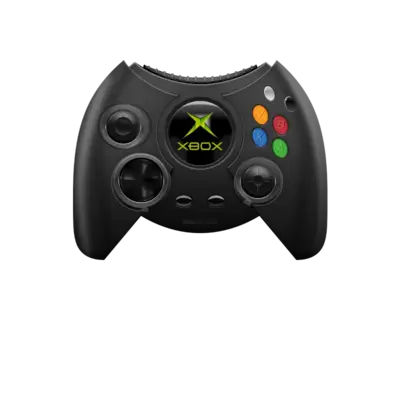
Default overlays show the original Xbox pad. Remap buttons or toggle alternate profiles from the RetroArch Quick Menu if your controller differs.
Troubleshooting
- If a title refuses to boot, re-run
extract-xisoto rebuild the ISO and ensure the game partition is present. - Use the dashboard that matches your BIOS language to avoid localization prompts, or edit
/userdata/saves/xbox/xemu_eeprom.binwith a BIOS editor before launching. - Squashfs archives must end with
.iso.squashfs; otherwise RetroArch will fail to recognize them as Xbox disc images. - See the generic support pages for additional emulator guidance.