ZX81

Overview
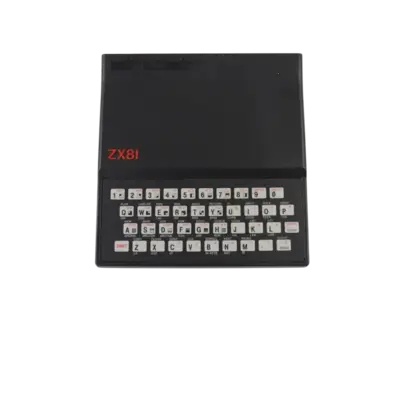
Sinclair’s ZX81 (1981) delivered a low-cost home computer that relied on overlays and multi-purpose keybindings. REG-Linux points the zx81 group at the libretro: 81 core so the keyboard-first experience can be remapped to controllers when needed.
Technical specifications
- CPU: Zilog Z80 running at 3.25 MHz with minimal supporting logic to keep costs down.
- Memory: 1 KB of RAM on-board, expandable via external RAM packs to 16 KB or more.
- Display: Monochrome 64×48 character display overlaid on a 256×192 video matrix with software-timed raster refresh.
- Sound: Single-bit beeper toggled by the processor for simple tones or tape motor control.
Quick reference
- ROM folder:
/userdata/roms/zx81 - Accepted formats:
.tzx,.p,.zip,.7z - Emulators:
libretro: 81 - System group:
zx81
BIOS
No BIOS dump is required for the ZX81 core.
ROMs
Copy cassette snapshots or program files into /userdata/roms/zx81. The core reads .tzx and .p images directly, and zipped archives are supported if the .tzx file resides at the root of the archive.
Emulators
libretro: 81
RetroArch exposes the usual zx81.* options (videomode, shaders, pixel_perfect, etc.). Use the Quick Menu ([HOTKEY] +  ) to tweak the display and the input device type. X-Keys also toggle features like
 global.81_chroma_81 for colorization and global.81_highres for the WRX high-resolution mode.
Controls
RetroArch maps the cursor joystick type to the D-pad and uses South/East/West to emulate the keyboard fire button. If you want controller support, open the Quick Menu, go to Input > Input User 1 Binds, and set User 1 Device Type to Cursor Joystick.
Troubleshooting
- When the emulator keeps focusing the on-screen keyboard, set user 3’s device to “Sinclair Keyboard” and leave users 1–2 on joysticks for gameplay.
- If a zipped snapshot refuses to load, extract it and place the
.tzxfile beside the archive so the core can find the proper header. - For broader RetroArch tips, visit the generic support pages.